3D skin analysis · for the practice
The scanner that leads to treatment.
Most practices have no device. We bring one, together with the software that turns every capture into a report, a treatment plan from your catalogue, and the next appointment.

How it works
From the scan to the next appointment.
- 01
Scan in the practice
Your patients are captured as usual. The device shows a QR code, your assistant holds the tablet against it.
- 02
Consultation on screen
The report is ready in seconds. Your assistant walks the patient through it and assembles the treatment plan from your catalogue.
- 03
Next appointment
The follow-up is agreed before the patient leaves. Report and plan reach her by email.
- 04
Progress on return
At the next scan the report shows the change on every axis. That is the reason for the appointment after that.
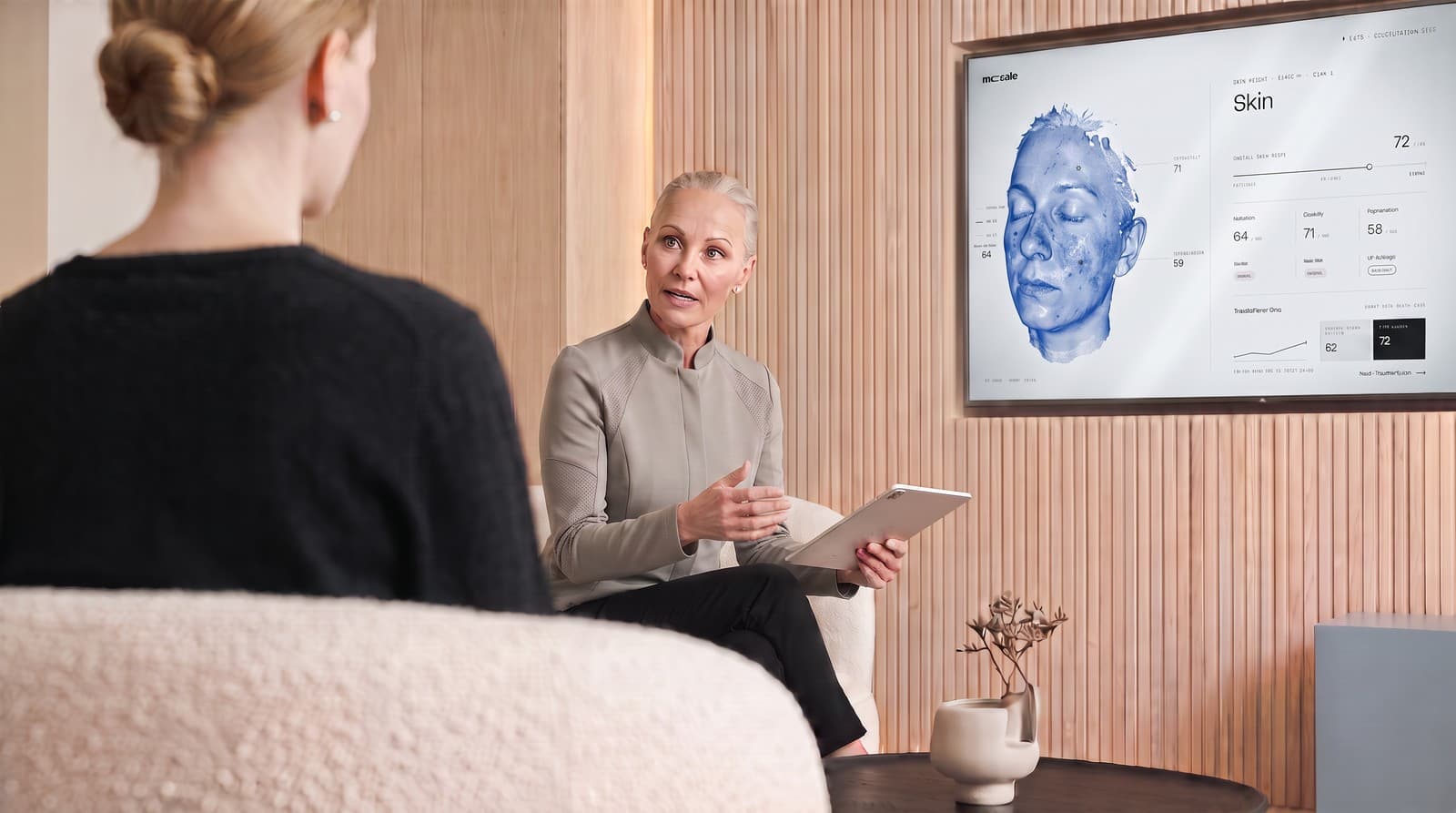
Inside the report · 9 chapters
Not a score. A guided reading.
Patients don't read a value table. They read a guided journey, chapter by chapter, from the overview across four light spectra to the conversation starter for the next visit.
- 01First observation
- The most important headline from the data, one sentence.
- 02Skin scores on radar
- Five score axes at a glance. You · average · optimal.
- 03What the camera sees
- Four light spectra your eye doesn't directly catch. UV, heatmaps, redness map.
- 04Strengths
- What stands out particularly well in your values, named.
- 05Signals
- Values below the average. Soberly, no alarm.
- 06Wrinkles · 7 zones
- One card per region. Depth distribution in mm². Anatomical context.
- 07Pattern
- What the values together say, read like a good diagnostician would.
- 08Conversation
- Three concrete questions for the next practice visit.
- 09What's next
- The before/after anchor for the next scan.
For the practice
Report layer you control yourself.
Logo, modules, treatments, actives, team, all in the practice dashboard. You set it up yourself, without asking us.
- White-label branding
- Practice logo on top, practice colour in the score. Dermalia small in the footer as tech provider.
- Toggle modules on and off
- Before/after, treatment catalogue, ingredient recommendations, AI narrative, patient questions, all per practice.
- Treatment and ingredient catalogue
- Your own treatments, your own ingredient library. Recommendations draw from your list, not from generic marketing.
- Team management
- Invite colleagues via magic link. Roles owner / admin / member. Audit log for every change.
Numbers
What this costs the practice.
- 0 €
- purchase price for device and software
- 20 €
- usage fee per analysis carried out
- from 50 €
- is what practices typically charge for the analysis
- 1 hr
- demo at your practice, free of charge
- 0
- dates of birth or diagnoses stored
- EU
- servers in Hamburg and Frankfurt
The 20 € per analysis applies to placed devices without a purchase price. If you buy the scanner yourself, you pay a monthly software licence instead. Both are on the pricing page.
- Revenue per month
- 3,600 €
- Usage fee, 20 € per analysis
- − 800 €
- Your practice keeps
- 2,800 €
per month, before tax and excluding the treatment revenue the analysis triggers
Why Dermalia
What we do differently.
- One scale for all values
- Skin scores go from 0 to 100. Higher is better. No hidden inversions, no two scales for the same thing.
- Your practice stays in front
- Your logo on top, our brand small in the footer. The treatment plan draws from your catalogue and carries your prices. What is not on your list, we do not suggest either.
- As little data as possible
- First name, email address, scan ID. That's all we need. No date of birth, no tracking profile. Servers in Germany.
Frequently asked
What practices ask us.
- How does the 3D scan become a report?
- The patient is captured on the device, which shows a QR code at the end. Your assistant holds the tablet with the Dermalia web app against it and optionally enters first name and email. We pull the raw data server-side and build the report. During the consultation you assemble the treatment plan from it, and the patient receives report and plan by link.
- How does the before/after comparison work?
- On the second scan of the same email, the report automatically shows the change on every score axis between captures. We link reports through a hashed email per practice, other practices cannot see this history.
- What happens when patients ask questions about the report?
- Optional: you can enable the question module per practice. Answers stay in clinical language, no diagnosis, no therapy suggestions, those remain your conversation at the next appointment. For emergency keywords we redirect back to your practice.
- Which parts of the report can I switch off?
- Optional: before/after, treatment catalogue, ingredient recommendations, AI report summary, patient questions. Mandatory: hero, audit footer, legal notice, practice CTA. Configurable in the dashboard.
- What patient data does Dermalia store?
- First name, email, scan ID. That's all we need. No birth dates, no tracking profile. Servers in Germany (Vercel + Neon EU). Data processing agreement is signed digitally in the dashboard.
- Which scanners are supported?
- We currently read Isemeco D8 and D9 directly from the manufacturer backend, without kicking the practice login. The Meicet MD300 is the current device class and follows with the first placements. If an Isemeco device already sits in your practice, we connect it.
Guides
What practices settle beforehand.
Guides
- Introducing a skin-analysis IGeL service in your practice, from consent to billing3D skin analysis is a classic German IGeL (Individuelle Gesundheitsleistung). We walk through the steps the German federal medical organisations (KBV and BÄK) define for a clean IGeL introduction, from patient briefing through the written agreement to billing, and show where Dermalia fits into each step.
- Billing skin analysis, which GOÄ code applies whenDigital 3D skin analysis has no native code in the German fee schedule (GOÄ). We walk through the three codes practices actually use today, including multipliers, analogous billing per § 6 (2), and what you must declare as a self-pay service for statutory-insured patients.
- Before/after with skin analysis, what makes treatment documentation reliableA before photo and an after photo are not enough. Anyone documenting filler, botox, microneedling or laser therapies needs reproducible captures, normalised positioning and comparable score values. We walk through the five requirements a skin analysis must meet for honest before/after.
- GDPR for medical image analysis, a practice checklistWhen you use 3D skin analysis in your practice, you are processing health data under Art. 9 GDPR. What does that mean concretely? We walk through the eight points a practice must clear before the first real patient scan, legal basis, data processing agreement, information sheet, retention and the third-country transfer problem.